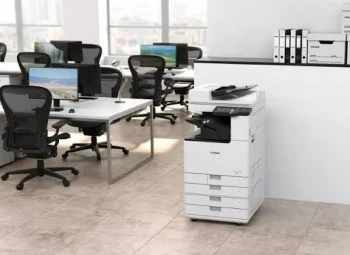

Multifunction Printer Features for Office Productivity
Most organizations use only a fraction of what their multifunction printers (MFPs) are capable of. Beyond printing, today’s devices include intelligent features that improve security, automate document workflows, reduce printing costs, and minimize IT support requirements.
Here are five features every business should consider enabling.
1. Enable Printer Monitoring for Proactive Maintenance
Modern multifunction printers support SNMP (Simple Network Management Protocol), allowing printer monitoring software to track toner levels, paper jams, offline status, and service alerts in real time.
Instead of waiting for employees to report a problem, your IT team or service provider can receive alerts and take corrective action before productivity is affected.
Benefits:
- Reduced printer downtime
- Proactive toner replacement
- Faster service response
- Improved office productivity
2, Use Secure Print (Print & Hold)
Have you ever sent a confidential document to the printer only to find someone else collecting it?
Secure Print, also known as Print & Hold, stores the print job until the user authenticates at the printer using a PIN, password, or access card.
This feature is particularly valuable for HR, Finance, Legal, Healthcare, and Management teams handling sensitive information.
Benefits:
- Protects confidential documents
- Prevents unclaimed printouts
- Reduces paper wastage
- Improves document security
3. Make Better Use of Advanced Scanning Features
A multifunction printer is much more than a copier. Modern devices can scan directly to:
- Shared folders
- Network drives
- USB drives
Many devices also support automatic duplex scanning, OCR (Optical Character Recognition), and searchable PDF creation, making document retrieval faster and supporting digital workflows.
Benefits:
- Faster document sharing
- Reduced paper storage
- Improved collaboration
- Better document organization
4. Control Printing with User Authentication
Many organizations don’t know who is printing what.
By enabling PIN codes, user IDs, or card authentication, businesses can control access to printing and track usage by department or employee.
Combined with print quotas, this helps reduce unnecessary printing while improving accountability.
Benefits:
- Enhanced document security
- Reduced paper and toner consumption
- Department-wise print tracking
- Better cost control
5. Set Print Quotas to Reduce Waste
One of the simplest ways to lower printing costs is by implementing print quotas.
Administrators can define printing limits for users or departments, encourage duplex printing, and restrict unnecessary colour printing.
Even a small reduction in unnecessary printing can lead to significant annual savings.
Benefits:
- Lower printing costs
- Reduced paper consumption
- Better resource management
- Environmentally responsible printing
Unlock the Full Potential of Your Multifunction Printer
A multifunction printer is no longer just a device for printing documents—it’s an important part of your organization’s digital workflow.
By enabling features such as printer monitoring, secure printing, advanced scanning, user authentication, and print quotas, businesses can improve security, increase productivity, and significantly reduce operational costs.
At Computo Copier Centre Pvt. Ltd., we don’t just install printers—we help organizations configure them to maximize efficiency and get the most value from their investment.
Need help optimizing your office printing environment? Contact our experts to learn how your multifunction printer can do much more than print.