
Office Printer Replacement and Upgrade
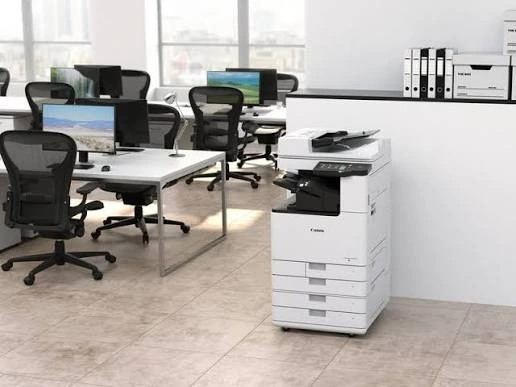
An office printer may not seem like a major business asset until it starts slowing down everyday work. Frequent paper jams, poor print quality, repeated repairs, slow output, and rising operating costs can all indicate that your existing printer is no longer suitable for your business.
Many businesses continue using an old printer simply because it still turns on and produces documents. However, a printer that technically works may still be costing the business through downtime, maintenance, inefficient printing, and employee productivity loss.
As office workloads grow and printing requirements change, businesses may eventually need to replace or upgrade their existing equipment.
So, how do you know when the right time has arrived?
Here are 7 signs that your office printer may need to be replaced or upgraded.
When Your Printer Starts Affecting Business Productivity
An office printer should support your workflow rather than become a regular source of interruptions.
If employees frequently have to wait for documents, call for technical assistance, clear paper jams, or restart the printer, the equipment may no longer be performing efficiently.
A printer that was suitable when your business was smaller may not necessarily be suitable after your team, workload, or document requirements have increased.
“The right office printer should make everyday work easier—not become another operational problem for your employees.”
1. Your Printer Breaks Down Frequently
One of the clearest signs that an office printer may need replacement is repeated breakdowns.
Occasional technical problems are normal with any office equipment. However, if your printer frequently requires servicing or repairs, the problem may go beyond normal maintenance.
Common warning signs include:
- Frequent paper jams
- Repeated error messages
- Printing interruptions
- Mechanical problems
- Repeated component failures
- Frequent technician visits
- Printer restarting unexpectedly
If the same problem keeps returning even after servicing, continuing to repair the machine may not always be the most practical option.
Businesses should consider the total cost of ownership, including repairs, spare parts, consumables, maintenance, and downtime, instead of looking only at the cost of the repair itself.
2. Printing Has Become Noticeably Slower
Printing speed becomes particularly important in offices where multiple employees depend on the same device.
If employees regularly wait several minutes for documents to print, productivity can gradually suffer.
This becomes more noticeable when:
- Print volumes have increased
- More employees are sharing the same printer
- Large documents are printed regularly
- Colour documents take too long
- Scanning and copying workloads have increased
- Multiple departments depend on one device
A printer that was fast enough for a small team may become inadequate as the business grows.
In such cases, upgrading to a faster printer or a higher-capacity multifunction printer can help the office handle its current workload more efficiently.
3. Print Quality Is No Longer Consistent
Print quality problems are another important warning sign.
Documents may begin showing:
- Faded text
- Streaks or lines
- Uneven printing
- Smudged output
- Incorrect colours
- Repeated marks
- Poor image quality
Occasional quality problems can often be solved through cleaning, calibration, toner replacement, or maintenance.
However, if poor print quality continues despite servicing and replacement of consumables, the printer itself may be reaching the end of its useful working life.
This can become particularly important for businesses that regularly print:
- Client documents
- Reports
- Presentations
- Marketing materials
- Invoices
- Contracts
- Technical drawings
Consistent output quality is essential when printed documents represent your business professionally.
4. Repair and Maintenance Costs Keep Increasing
An old printer can sometimes become expensive to keep operational.
The purchase price of a printer is only one part of its overall cost. Businesses also need to consider toner or ink, paper, servicing, spare parts, repairs, and downtime.
If maintenance expenses continue increasing, it may be worth comparing the cost of keeping the existing printer with the cost of upgrading to a newer model.
For example, instead of asking:
“Can we repair this printer?”
Businesses should also ask:
“Is repairing this printer still financially sensible?”
A printer that requires frequent repairs may have a much higher long-term cost than a newer, more efficient device.
“An inexpensive repair does not always mean an inexpensive printer. The complete operating cost should be considered before deciding whether to keep repairing or replace the equipment.”
5. Your Printing Requirements Have Changed
Your business may have outgrown its existing printer.
Perhaps your company started with a basic A4 printer, but now your team regularly needs:
- A3 printing
- High-volume printing
- Colour printing
- Scanning
- Copying
- Duplex printing
- Network printing
- Secure printing
- Multiple-user access
If your employees have started using workarounds because the existing printer cannot handle these requirements, it may be time for an upgrade.
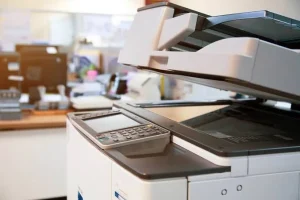
Modern multifunction printers can combine printing, copying, and scanning in one device, while advanced models can also support features such as secure printing, user authentication, network connectivity, and usage monitoring.
The goal is not simply to buy a newer printer. It is to choose equipment that matches the way your business actually works.
6. Your Office Is Experiencing Frequent Printer Downtime
Printer downtime can have a bigger impact on business operations than many companies realize.
When a shared office printer stops working, employees may have to:
- Wait for repairs
- Send documents to another department
- Use a different printer
- Delay paperwork
- Search for alternative printing options
For businesses that depend heavily on printed documents, these interruptions can accumulate over time.
If downtime is happening repeatedly, it may indicate that your existing printer is no longer reliable enough for your workload.
Before replacing the machine, businesses should evaluate:
- How often the printer becomes unavailable
- How long repairs usually take
- How many employees depend on it
- Whether a backup printer exists
- Whether the printer can handle current volumes
A reliable printing setup is especially important for high-volume offices and organizations where printing is part of daily operations.
7. Your Printer Lacks Features Your Business Now Needs
Technology and business workflows change over time.
A printer that was perfectly adequate several years ago may now lack features that can improve productivity, security, and document management.
For example, modern office printing environments may benefit from:
- Multifunction printing
- Automatic document feeding
- Duplex printing
- Network connectivity
- Mobile or wireless printing
- Secure print with PIN or authentication
- User access control
- Print monitoring
- Usage reporting
- Faster scanning
- Larger paper capacity
If your existing printer cannot support important requirements, upgrading may provide more value than continuing to operate outdated equipment.
Computo Copier’s current multifunction printer solutions include features such as secure printing, access control, usage reporting, network configuration, and support for high-volume office requirements.
How to Decide Between Repairing and Replacing Your Printer
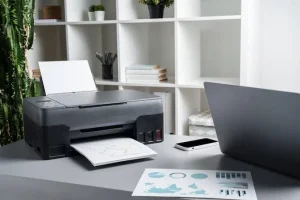
Not every printer problem means you need a new machine.
A repair may still make sense when:
- The printer is relatively new
- Repair costs are low
- Print quality remains good
- The printer meets your current workload
- Replacement parts are readily available
- Downtime is minimal
Replacement or upgrading may make more sense when:
- Repairs are becoming frequent
- Maintenance costs are increasing
- Printing is consistently slow
- Print quality remains poor
- Your workload has increased
- The printer lacks essential features
- Downtime is affecting employees
- Your business has outgrown the equipment
The decision should therefore be based on performance, operating cost, reliability, and business requirements, rather than simply the age of the printer.
Should You Buy or Rent a Replacement Printer?
Once a business decides that its printer needs to be replaced, the next question is whether to purchase a new device or consider printer rental.
Buying may be suitable when a business has stable printing requirements, wants direct ownership, and expects to use the equipment for a long period.
Printer rental can be useful for businesses that want to reduce upfront investment, manage changing workloads, or access newer equipment without taking on the full burden of ownership.
Computo Copier currently provides printer and multifunction printer rental solutions for businesses, including flexible rental options and technical support.
For growing businesses, rental can also provide greater flexibility when printing requirements change.
Don’t Wait Until Your Printer Completely Fails
One common mistake businesses make is waiting until a printer stops working completely before considering replacement.
By that point, employees may already have experienced repeated downtime, poor print quality, slow output, and productivity problems.
Instead, businesses should monitor printer performance regularly.
Ask yourself:
- Is the printer still fast enough?
- Is the print quality reliable?
- Are repair costs increasing?
- Has our printing volume changed?
- Do we need features the printer doesn’t have?
- Is downtime affecting productivity?
- Would a newer printer reduce our operating challenges?
If several answers are “yes,” it may be time to evaluate an upgrade.
Choosing the Right Replacement Printer for Your Office
Replacing an office printer should not simply mean purchasing the newest model available.
The replacement should be selected according to your actual requirements.
Consider:
Monthly Print Volume:
Estimate how many pages your office prints every month.
Print Speed:
Choose a device capable of handling your team’s workload without unnecessary waiting.
Paper Size:
Determine whether you need A4, A3, or other formats.
Colour Requirements:
Decide whether your business needs regular colour printing or primarily black-and-white documents.
Multifunction Requirements:
If your employees frequently scan and copy documents, an MFP may be more practical than separate devices.
Connectivity:
Consider network printing and the way employees access the printer.
Security:
Businesses handling confidential information may benefit from secure printing and user authentication.
Maintenance and Support:
Consider the availability of technical support and servicing.
Total Cost of Ownership:
Look beyond the purchase price and evaluate consumables, maintenance, repairs, energy use, and expected operating costs.
A Smarter Approach to Office Printing
A printer is not simply a machine that produces paper. It is part of your office workflow.
When the equipment becomes slow, unreliable, expensive to maintain, or unable to support your current requirements, it can affect productivity across the organization.
Recognizing the warning signs early allows businesses to compare their options before a major breakdown occurs.
For some offices, the best solution may be a newer high-volume printer. For others, a multifunction printer may be more suitable. Growing businesses may also consider rental solutions to gain access to appropriate equipment without a large upfront investment.
The right choice depends on your printing volume, workflow, budget, document requirements, and future business plans.
Upgrade Your Office Printing Setup with Computo Copier
If your current printer is frequently breaking down, printing slowly, producing inconsistent output, or no longer meeting your business requirements, it may be time to consider an upgrade.
Computo Copier provides printer rental, multifunction printer rental, IT equipment rental, digital printing, scanning, and other office technology solutions. The company has been operating since 1987 and supports businesses across West Bengal, Odisha, Bihar, and Jharkhand.
Whether you need a printer for a small office, a high-volume multifunction printer, or a flexible rental solution, evaluating your actual printing requirements can help you choose the right equipment for your business.
Is your office printer becoming more of a problem than a productivity tool? Contact Computo Copier to discuss your printing requirements and explore a suitable replacement or upgrade solution.