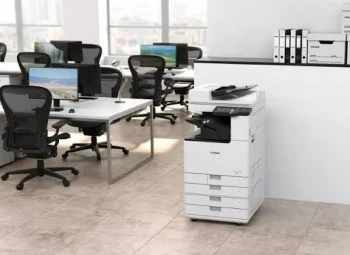


Multifunction Printer Maintenance Tips
A multifunction printer (MFP) is one of the hardest-working devices in any office. Yet many breakdowns are caused not by manufacturing defects, but by simple day-to-day mistakes that can easily be avoided.
Here are three common mistakes that can shorten the life of your printer and increase maintenance costs.
1. Using Damp or Poor-Quality Paper
Paper may look perfectly fine, but moisture is one of the biggest enemies of a printer.
Damp paper can cause:
- Frequent paper jams
- Wrinkled or curled prints
- Double feeding
- Poor print quality
- Increased wear on paper feed rollers
Always store paper in its original packaging in a cool, dry place, and avoid using paper that has been exposed to humidity.
Pro Tip: If your office is air-conditioned during the day and switched off at night, store paper in a dry cabinet or sealed packaging to reduce moisture absorption.
2. Ignoring Power Quality and Voltage Fluctuations
Voltage fluctuations can damage sensitive electronic components inside an MFP, leading to unexpected breakdowns and costly repairs.
To protect your printer:
- Connect it to a properly earthed power outlet.
- Use a quality voltage stabilizer or UPS where power supply is unstable.
- Avoid operating the printer during severe voltage fluctuations or electrical storms.
A stable power supply not only protects the machine but also improves its long-term reliability.
3. Overlooking Rodent Protection
Rodents can cause extensive damage by chewing internal wiring and electrical cables inside printers.
To reduce the risk:
- Keep the area around the printer clean and free of food waste.
- Seal gaps or entry points where rodents may enter.
- Schedule regular pest control in office and storage areas.
- Inspect equipment that has been unused for long periods before switching it on.
A small amount of preventive care can save your organization from expensive repairs and unexpected downtime.
Protect Your Investment
Whether you own or rent a multifunction printer, proper care significantly improves reliability and extends the life of the equipment. Following these simple practices can reduce service calls, improve productivity, and keep your office running smoothly.
At Computo Copier Centre Pvt. Ltd., we not only provide reliable printer rental solutions but also help our customers maintain their equipment through preventive maintenance, expert technical support, and best-practice guidance.
Need advice on maintaining your office printers or looking for a hassle-free printer rental solution? Get in touch with our team today.