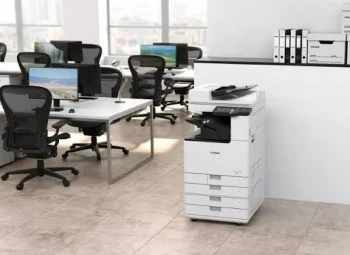


Managed Print Services in Kolkata
Managed Print Service (MPS) can help businesses manage printers, photocopiers, document workflows, maintenance, and printing costs through a more structured approach.
Printing remains an important part of everyday operations for many businesses. Offices use printers and multifunction devices for invoices, reports, contracts, forms, presentations, records, and other documents.
However, managing multiple printers across an office can become complicated. Businesses may face unexpected toner requirements, equipment downtime, high printing costs, frequent maintenance issues, and difficulty understanding how much they are actually spending on printing.
A Managed Print Service can provide a more organized way to manage business printing equipment and related requirements.
Instead of treating every printer as a separate piece of equipment, businesses can take a broader approach to their entire printing environment.
What Is a Managed Print Service?
A Managed Print Service, commonly called MPS, is a structured approach to managing an organization’s printing and document-output environment.
Depending on the service provider and agreement, MPS may include:
- Printer and photocopier management
- Multifunction printer management
- Print monitoring
- Device maintenance
- Toner and consumable management
- Technical support
- Usage tracking
- Printing cost analysis
- Equipment optimization
- Document workflow improvement
The objective is to help businesses understand how their printing infrastructure is being used and identify opportunities to improve efficiency and control costs.
“Managed Print Service is not simply about managing printers. It is about managing the overall printing environment more efficiently.”

Managed Print Solutions Team
Professional Printer & Copier Management
Why Do Businesses Need Managed Print Services?
Many businesses operate multiple printers and photocopiers across different departments.
For example, an office may have:
- Individual desktop printers
- Shared network printers
- Multifunction photocopiers
- Colour printers
- A3 printers
- Scanners
- Department-specific printing equipment
Without proper management, businesses may find it difficult to determine:
- Which devices are being used most
- How much each department prints
- Where printing costs are increasing
- When toner needs to be replaced
- Which equipment requires maintenance
- Whether existing devices are being underused
- Whether too many printers are installed
A managed print approach can help bring these requirements into a more structured system.
Business Printing Management Team
Organized Printing Solutions for Modern Offices
How Does a Managed Print Service Work?
The exact process depends on the provider and service arrangement, but an MPS program generally starts by understanding the organization’s existing printing environment.
Step 1: Assess Existing Equipment
The business’s current printers, photocopiers, multifunction devices, and printing requirements are reviewed.
Step 2: Understand Printing Usage
Print volumes, device usage, departments, and document requirements can be evaluated.
Step 3: Identify Inefficiencies
The assessment may identify unnecessary devices, underused equipment, high printing costs, or maintenance problems.
Step 4: Develop a Printing Strategy
Based on the assessment, businesses can determine which equipment and services are appropriate.
Step 5: Monitor and Manage
Printing activity, consumables, maintenance requirements, and equipment performance can then be managed more systematically.
This approach can help businesses move from reactive printer management toward a more organized printing environment.
What Services Can Be Included in Managed Print?
Managed Print Service packages can differ between providers.
Depending on the agreement, businesses may receive support for:
Printer Management
Monitoring and managing business printers and multifunction devices.
Photocopier Management
Support for professional photocopiers used for high-volume printing and copying.
Consumable Management
Monitoring toner and other consumables to reduce unexpected shortages.
Technical Support
Assistance with equipment problems, maintenance, and service requirements.
Print Monitoring
Tracking printing activity and usage across supported devices.
Cost Management
Reviewing printing patterns and identifying areas where costs may be reduced.
Equipment Optimization
Evaluating whether the business has the appropriate number and type of printing devices.
Managed Printing Solutions Team
Integrated Printer & Copier Support for Businesses
How Can Managed Print Services Help Reduce Printing Costs?
One of the major reasons businesses consider MPS is better control over printing expenses.
Printing costs are not limited to the price of paper and toner.
Businesses may also spend money on:
- Printer purchases
- Photocopier purchases
- Toner
- Ink
- Drum units
- Maintenance
- Repairs
- Spare parts
- Electricity
- Technical support
- Equipment replacement
When these costs are spread across multiple departments and devices, it can become difficult to identify the actual cost of printing.
A managed print approach can help businesses understand their printing environment and identify areas where resources may be used more efficiently.
Printing Cost Management Team
Smarter Printing Cost Control for Businesses
Better Visibility Into Printing Usage
Without monitoring, businesses may not know how much printing is being performed or where the majority of printing is taking place.
Managed print services can provide greater visibility into printing activity.
Businesses may be able to understand:
- Total printing volume
- Colour vs monochrome printing
- Departmental usage
- Device usage
- Printing patterns
- Equipment requirements
This information can help management make more informed decisions about printing equipment and workflows.
For example, if one department is using a printer far more heavily than another, the business may be able to review whether the equipment is appropriate for that workload.
Print Monitoring Team
Better Visibility Across Your Printing Environment
Helps Manage Toner and Consumables
Running out of toner during an important business task can disrupt productivity.
In offices with multiple printers, manually checking every device can also become time-consuming.
Depending on the MPS arrangement, consumable levels can be monitored so that toner requirements can be identified before they become an urgent problem.
This can help businesses reduce:
- Unexpected toner shortages
- Emergency purchases
- Unnecessary stock
- Manual equipment checks
A structured consumable management process can make everyday printer management easier.
Toner Management Team
Keeping Your Business Printing Ready
Reduce Printer Downtime
Printer downtime can affect productivity, particularly when employees depend on a specific machine for everyday document processing.
Technical problems may include:
- Paper jams
- Toner problems
- Scanning issues
- Network connectivity problems
- Hardware faults
- Paper-feed issues
- Software or driver problems
Managed print services can provide a structured approach to maintenance and technical support.
The exact response time and support coverage will depend on the service agreement.
Printer Support Team
Technical Assistance for Business Printing Equipment
Improve Printer and Copier Management
Businesses sometimes have more printing devices than they actually need.
For example, an office may have several individual printers spread across different rooms when a centrally located multifunction printer could potentially serve multiple employees.
An MPS assessment can help businesses understand whether their existing equipment is appropriately distributed.
Depending on the findings, businesses may be able to:
- Consolidate devices
- Replace outdated equipment
- Add higher-capacity machines
- Improve network printing
- Centralize document workflows
- Reduce unnecessary equipment
The objective is not simply to reduce the number of printers, but to create a printing environment that better matches the business’s workflow.
Printer Optimization Team
Efficient Equipment Planning for Modern Offices
Managed Print Services Can Support Growing Businesses
Printing requirements can change as a business grows.
A company may begin with a few employees and several desktop printers. As the team expands, it may require:
- Network printers
- Multifunction photocopiers
- High-volume printing
- A3 printing
- Faster scanning
- Centralized document management
- Additional printing capacity
A managed print strategy can help businesses review their printing requirements as operations change.
This can be particularly useful for:
- Growing companies
- Corporate offices
- Educational institutions
- Healthcare organizations
- Legal offices
- Financial businesses
- Administrative offices
Scalable Printing Solutions Team
Printing Infrastructure That Supports Business Growth
Managed Print Service vs Traditional Printer Management
Traditional printer management often involves dealing with individual problems as they occur.
For example:
Printer stops working → Call technician → Order toner → Repair equipment → Resume printing
Managed print takes a more structured approach.
Assess → Monitor → Maintain → Optimize → Review
This proactive approach can help businesses understand their printing environment instead of dealing with every problem separately.
However, the actual benefits depend on the organization’s printing volume, equipment, service agreement, and how the MPS program is implemented.
Can Managed Print Services Improve Document Security?
Printers and photocopiers can handle sensitive business information.
Documents may include:
- Employee records
- Customer information
- Financial documents
- Contracts
- Legal documents
- Medical records
- Business proposals
Businesses should therefore consider security when managing their printing infrastructure.
Depending on the equipment and MPS solution, businesses may consider features such as:
- Secure print
- User authentication
- Access controls
- Network security
- Device security
- Print tracking
Organizations handling sensitive information should discuss their security requirements with their printer and copier service provider.
Secure Printing Team
Protecting Business Documents Across Your Printing Environment
Managed Print and Sustainable Printing
A structured printing strategy can also help businesses use printing resources more efficiently.
Businesses can consider:
- Duplex printing
- Digital document workflows
- Reducing unnecessary printing
- Centralizing high-volume printing
- Monitoring colour printing
- Using appropriate paper sizes
- Recycling used cartridges and equipment where appropriate
Reducing unnecessary printing can help control both operational costs and resource consumption.
Sustainable Printing Solutions Team
Smarter & More Responsible Business Printing
Who Can Benefit from Managed Print Services?
MPS can be useful for businesses with multiple printing devices or significant document-processing requirements.
It may be particularly relevant for:
- Corporate offices
- Educational institutions
- Healthcare organizations
- Legal offices
- Financial organizations
- Government departments
- Large administrative offices
- Businesses with multiple locations
- High-volume printing environments
Small businesses can also consider managed print if printing is an important part of their daily operations.
The suitability depends on the number of devices, printing volume, workflow, and support requirements.
What Should Businesses Check Before Choosing an MPS Provider?
Before selecting a managed print service provider, businesses should understand exactly what is included.
Consider asking:
- Which printers and photocopiers will be covered?
- Is device monitoring included?
- Is toner management included?
- What maintenance services are provided?
- What technical support is available?
- What is the expected service response time?
- Is printing usage monitored?
- Can printing costs be reviewed by department?
- Are equipment upgrades available?
- What happens when a device reaches the end of its useful life?
- Are security requirements supported?
- What are the contract terms and pricing structure?
Understanding the service scope can help businesses choose an arrangement that matches their actual requirements.
Managed Print Consultation Team
Printing Support Designed Around Your Business
Common Mistakes Businesses Make With Printer Management
Businesses can face unnecessary printing expenses when equipment is managed without a proper strategy.
Common mistakes include:
- Using too many individual printers
- Ignoring printing volumes
- Buying equipment based only on price
- Not tracking toner usage
- Delaying maintenance
- Using outdated equipment
- Ignoring security
- Printing unnecessary documents
- Not reviewing equipment performance
- Failing to calculate total printing costs
- Not planning for future requirements
A managed approach can help businesses identify these issues and create a more organized printing environment.
How to Decide If Your Business Needs Managed Print Services
Ask yourself these questions:
Do you operate multiple printers or photocopiers?
If yes, centralized management may be useful.
Do you frequently run out of toner?
A structured consumable management system may help.
Do printers regularly experience downtime?
Professional maintenance and support may improve equipment availability.
Do you know how much your business spends on printing?
If not, print monitoring and cost analysis may provide useful visibility.
Are some printers overused while others are rarely used?
An equipment assessment may help optimize your printing infrastructure.
Is your business growing?
A managed print strategy can help align equipment with changing requirements.
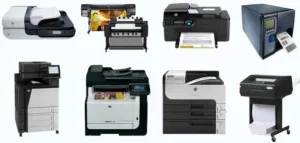
Choosing Managed Print Services for Your Kolkata Business
For businesses in Kolkata, managing printers and photocopiers efficiently can become increasingly important as printing requirements grow.
A small office may only require a few devices, while a larger organization may operate multiple printers, multifunction photocopiers, scanners, and high-volume printing equipment across different departments.
A Managed Print Service can provide a more structured approach to managing this environment by combining equipment management, usage monitoring, maintenance, consumable management, technical support, and printing optimization.
The right solution should be based on the organization’s printing volume, number of devices, document workflow, budget, security requirements, and future business needs.
Computo Copier
Professional Printer, Copier & Managed Printing Solutions
Computo Copier provides printing and copier solutions for businesses looking to manage their everyday document requirements. Depending on business needs, organizations can explore solutions related to printer rental, copier rental, multifunction printers, photocopying, scanning, digital printing, and professional printing equipment.
If your business operates multiple printers or photocopiers and wants better control over printing costs, maintenance, equipment usage, and document workflows, a managed printing approach may be worth considering.
Looking for managed print solutions in Kolkata? Contact Computo Copier to discuss your business’s printing requirements and explore a suitable approach.